— And still stay accurate with your billing and dates
When you’re running a scaffold rental business, one silent thief that eats into your accuracy (and sometimes relationships with clients) is exclusions — those days in a hire period when scaffolds are not in use, yet without proper handling, end up getting billed.
Think of Sundays, gazetted holidays, or just a simple project pause because the site ran out of materials. These are legit exclusions that, if not catered for, can mess up your billing, cause client disputes, or even make your team overestimate available inventory.
So how do you track these exclusions cleanly and still remain accurate in terms of the date ranges — when scaffolds left the yard and when they returned (or got extended)?
Let’s break it down, especially how Scaffolder makes it crazy simple to handle this.
Why Exclusions in DOH Can Be a Real Headache (If You’re Manual)
In a typical manual setup (Excel sheets, WhatsApp updates, memory), exclusions are either:
-
Forgotten completely (client pays for Sunday, then comes back annoyed),
-
Not factored into extensions (you pause for 3 days but the new return date doesn’t shift),
-
Or worse — someone manually edits the DOH (Days of Hire), and now your whole chain of reports is off.
You end up with:
-
Inaccurate revenue reporting
-
Bad customer relations
-
A confusing history of what really happened
Let’s be honest, it’s easy to miss a Sunday or assume “they’ll understand” — until they don’t.
With Scaffolder, Exclusions Are Not Just Possible — They’re Easy
Here’s how Scaffolder handles exclusions like a pro, while still keeping all your records intact.
1. Clear Hire Duration Window (Scaffolds Out to Scaffolds In)
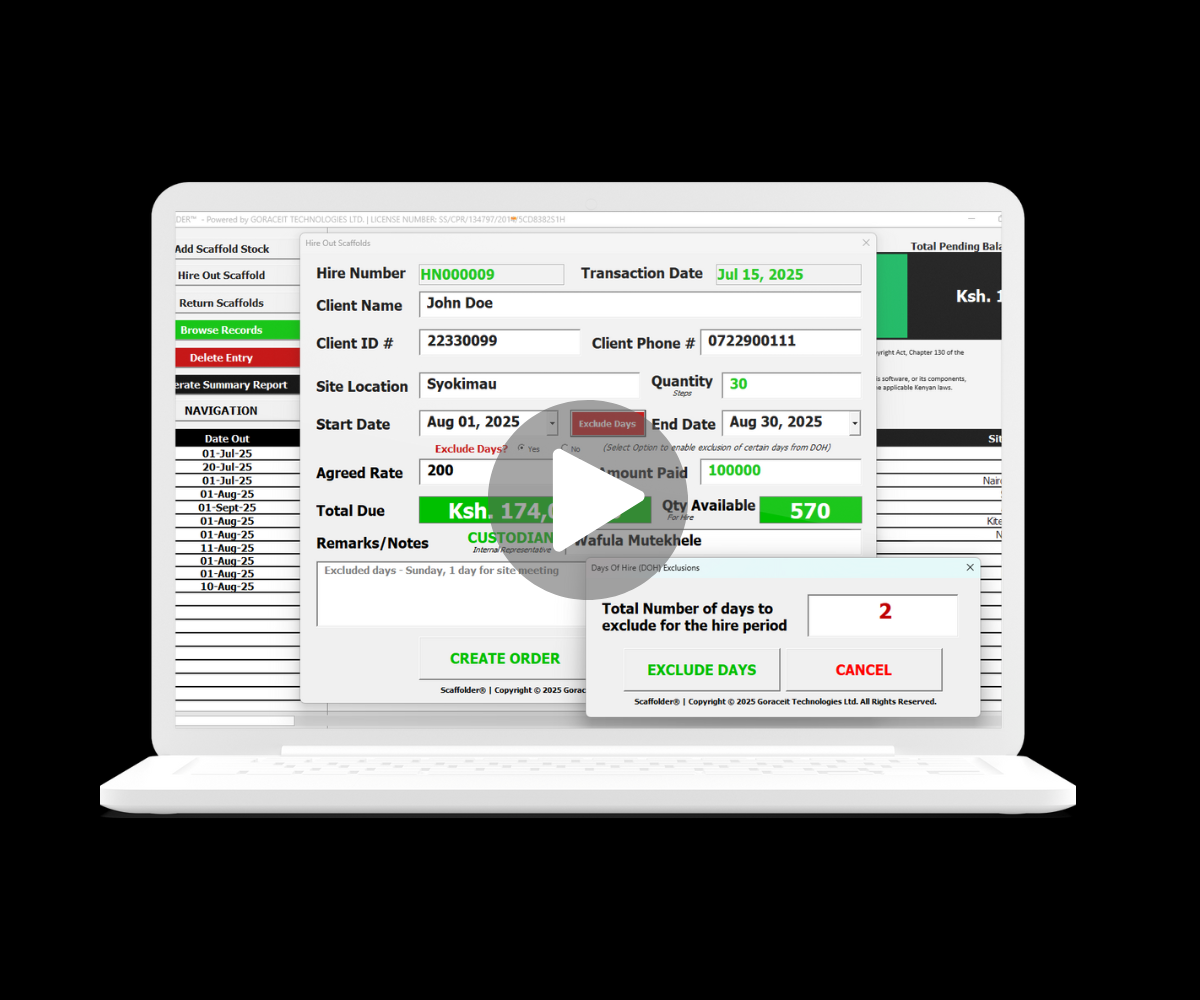
The system always keeps the original date range visible — so even if you exclude a few days, the actual project timeline is still reflected. That means your reporting stays intact, your data history stays clean, and your team is not confused.
🎯 Benefit: You don’t lose context. Everyone sees what really happened, not just the days charged.
2. Add Excluded Days with a Click
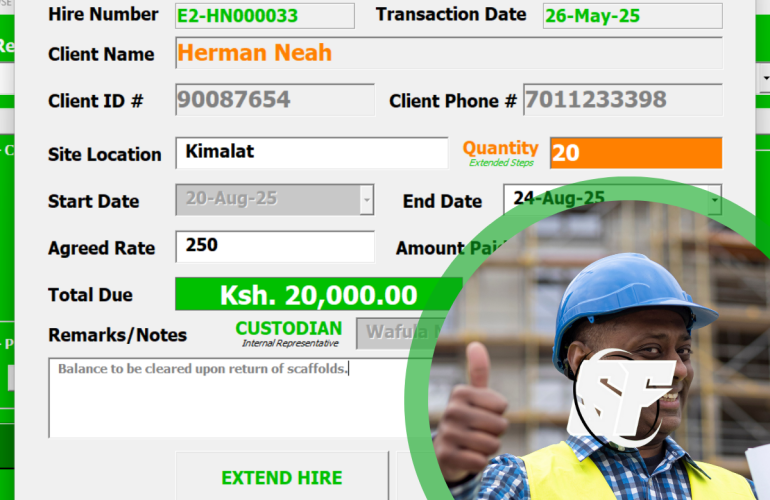
When processing a hire or an extension, Scaffolder allows you to tag specific days as “excluded” right inside the digital form. Pick Sundays, holidays, or even custom non-working days — the DOH automatically adjusts.
🎯 Benefit: No mental math. No disputes. Just clarity.
3. Smart Extension Logic
Let’s say scaffolds were meant to return on the 10th, but there was a 2-day pause on the 5th and 6th. Scaffolder allows you to insert those pause days as exclusions, and it will smartly shift your billing window.
🎯 Benefit: You bill only for true usage days, while still respecting the full timeline.
Real-life Example
Scenario: You hire out scaffolds from 1st to 10th July (10 days). But:
-
7th is a public holiday
-
8th is a Sunday (non-working)
-
Site paused on the 5th for material delays
With manual tracking, you might still charge the full 10 days — and the client won’t be happy.
With Scaffolder:
-
You mark 5th, 7th, and 8th as excluded
-
DOH becomes 7 days, not 10
-
System still shows original date range (1st–10th)
-
Billing becomes transparent and client-friendly
Why This Matters
-
Your clients will trust you more because you’re not just trying to max out their bill.
-
Your business will have cleaner reports, where usage and billing days match.
-
Your team will avoid manual back-and-forth trying to explain gaps.
-
You make extensions smoother, because even those get adjusted with exclusions.
Final Word
If you’re running scaffolding hire the old school way, tracking exclusions can quickly become a mess. You either forget them, get them wrong, or spend hours updating forms and invoices.
But with Scaffolder, exclusions are part of the workflow — not an afterthought. You stay accurate, your clients stay happy, and your business runs like a well-oiled scaffold tower.
[DISPLAY_ULTIMATE_PLUS]